Featured

About Me

“A lot of companies have chosen to downsize, and maybe that was the right thing for them. We chose a different path. Our belief was that if we kept putting great products in front of customers, they would continue to open their wallets.”

— Steve Jobs

      Hello everyone, my name is Hansel Dhammika which usually known as Hansel. I’m currently 13 but at March this year, I will turn 14. I have one brother that is currently taking medicine in Ukrida. Sekolah Harapan Bangsa is the school that currently I go to. It was an international school that is quite known for their Chinese language. This school is located at Modernland which is very near to my home.

     I had this hobby about technology which was started when I was 4. My dad first bought me a toy car which had a remote control in it and it was really fun to play. But after a few weeks of usage, the car broke down. The first question that I asked my dad was “ Dad why is this car broke down ?” and my dad said “ I don’t know, I need to find out”. That is the first time I get really interested in technology. I felt that it had a very interesting things that we could explore.

After a few years of trying to fix and had broke a lot of stuffs, I managed to start understand how to fix things that had a simple problem. That is why until now I kept on learning on how to make, develop, fix and sell the stuffs that I had made or fixed. The first things that I really had fixed was my remote control. When I was 12, I started learning on how to solder and it had worked very well. The problem with my remote control is that some of the cables inside had broken down that had to be soldered back. That is the first things that I had fixed and I am really proud of it.

I had fixed and made many things since then, I started fixing my controller for the playstation, my father’s lamp, my mother’s radio and many more. In technology, what I really like the most is about computer technology, personally I think that computer is the most interesting topic to talk about in technology. Every year there would be hundreds of new parts that are made and they had a very good performances. But there are some that are too overprice and had a low performances.

So in my blog, I will talked a lot about technology. Especially computer technology. But don’t worry, I will talk about another technology too such as newest gaming products, newest house electronics and many more. I will post for my blog at least once a week. So I’m looking forward to all of my readers to subscribe and follow my page if you have the same interest as me.
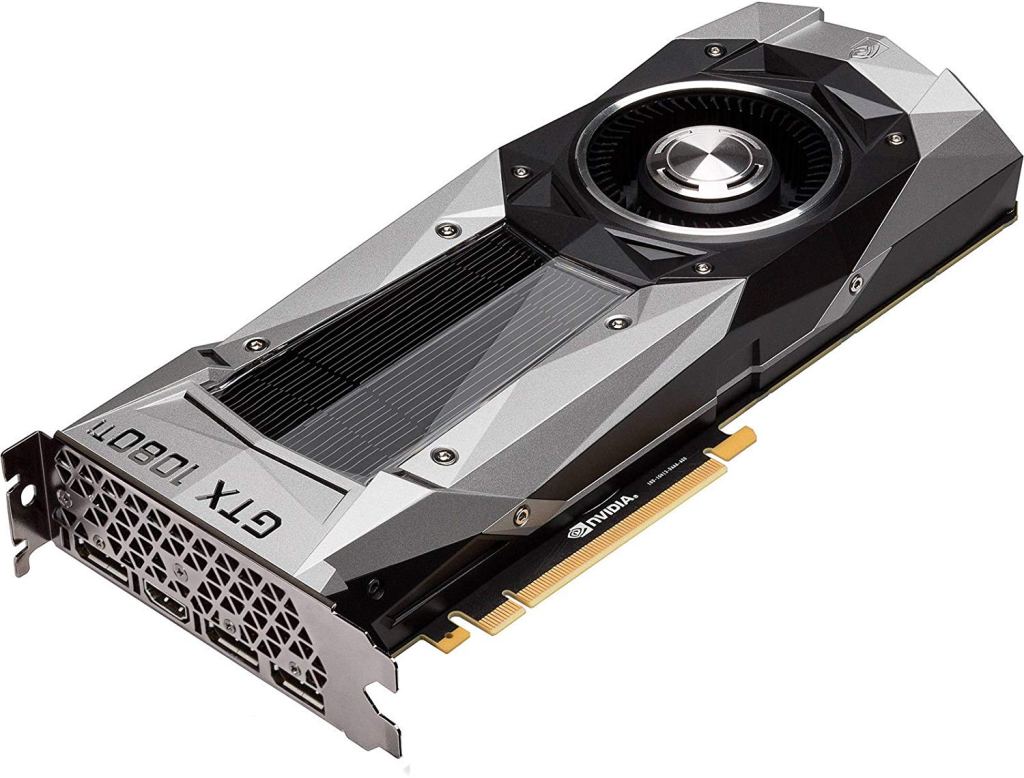
Nvidia GeForce GTX 1080 Ti Review

The Nvidia GeForce GTX 1080 Ti was one of the most anticipated graphics cards when it came out in 2017. The 1080 series was Nvidia’s top-end GPU for gamers, and this more recent version outpaced the mighty Titan X in many areas.

The Nvidia GeForce GTX 1080 Ti will set you back $699 – the same as the pre-discount GTX 1080. The Nvidia GeForce GTX 1080 Ti brings performance that can match the Titan Xp most of the time. Beyond being one of the most powerful consumer graphics cards of all time, the GTX 1080 Ti is a showcase of what Nvidia’s Pascal architecture was, and still is, capable of.

Specifications

The Nvidia GeForce GTX 1080 Ti is packing 3584 CUDA cores, 224 texture units and 88 ROPs. It comes with just a notch less video RAM than the god-like Titan X, but the 1080 Ti’s 11GB complement of GDDR5X VRAM is tuned to a faster 11Gbps – clearly Nvidia is a fan of Spinal Tap – making this Nvidia’s quickest Pascal card.

Design and cooling

If you’ve seen one of Nvidia’s self-produced Pascal graphics cards, you’ve seen them all. Externally, the original GeForce GTX 1080 and Nvidia’s latest Ti (or tai as the company pronounces it) card are virtually indistinguishable.

Not that we’re complaining. Nvidia’s design for its Founders Edition cards was a hit when it first debuted and the modern, angular look still appeals. One little change users might notice is the lack of a DVI port; don’t fret though, as the GTX 1080 Ti comes with an adapter you can plug into a DisplayPort.

Final verdict

The Nvidia GeForce GTX 1080 Ti is one of the most impressive graphics cards of all time. It’s remarkably more powerful than the original GTX 1080 and matches the Titan X’s gaming performance. You’re also looking at one of Nvidia’s coolest-running cards with more than enough overclocking headroom.

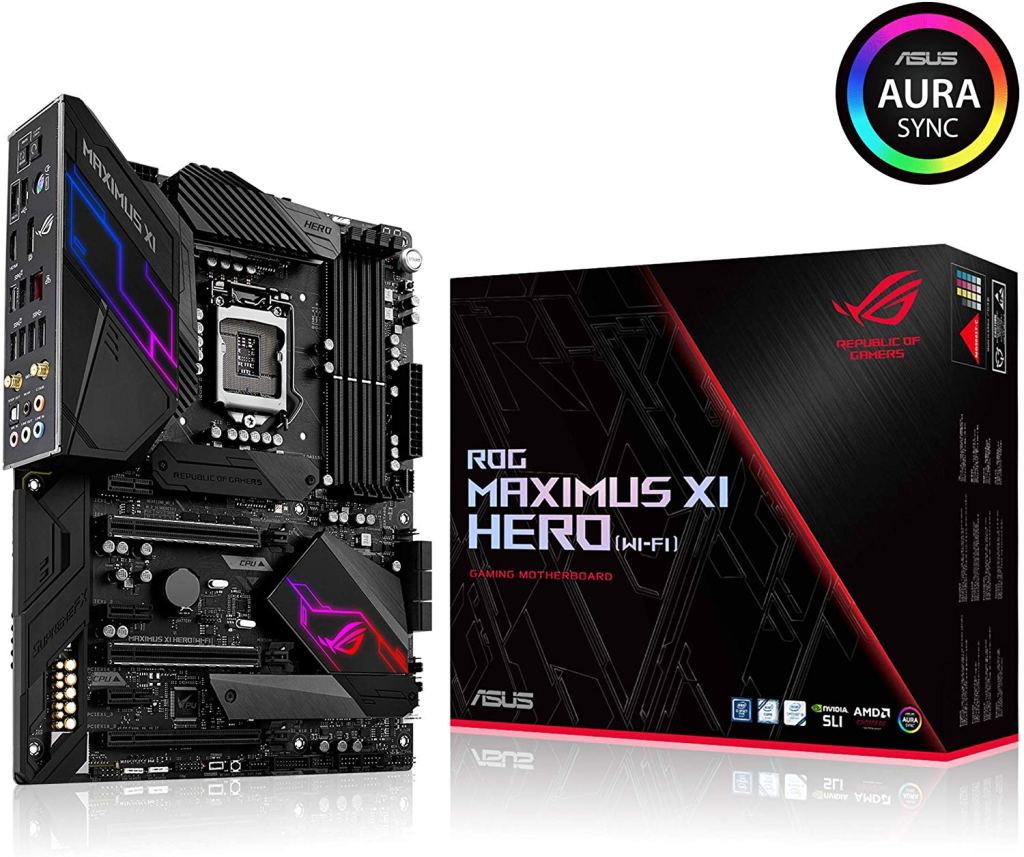
ASUS ROG Maximus XI Hero WiFi Review

The ASUS ROG Maximus XI Hero WiFi comes with a silver and black theme. It’s a top-tier device so you’re sure to expect a ton of features packed in this amazing motherboard. It comes in your regular ATX form factor, though you can take note of the dynamic design language of the board that goes all the way from top to bottom, and is something that the Maximus series is widely known for.

The Maximus XI Hero WiFi stays in the regular ATX footprint but still provides you with a total of 4 memory sockets, dual M.2 sockets with built-in heatsinks, and twin-armored PCIe x16 slots that are specifically for the GPUs. The motherboard’s rear doesn’t have anything interesting on it, but it’s really nice that it’s sleek and clean. The motherboard has the 8 + 2 + 2 Extreme Engine Digi+ VRM supply, and it also makes use of the micro-fine alloy chokes, as well as the 10,000-hour rated metal black capacitors.

All ROG motherboards guarantee high-quality overclocking, as well as the best stability on unlocked 8th and 9th generation processors. The company themselves state that the motherboards provide 5GHz+ overclocking capacities across all the eight cores, utilizing their AI-assisted overclocking technology with the 5-way optimization.

Top of the Board

At the top portion of the board, you’ll see Intel’s LGA-1151 socket center and front with a really nice ROG socket cap, one 10-phase VRM encircling the left and top sides of the socket; a 4-pin fan header is found next to the M.2 socket that is kept beneath the heatsink just under the socket.

Just like every other ROG boards, the accessories included in the Maximus XI Hero WiFi’s package are quite immense. You’ll get the user guide, a 20% coupon to the site CableMod.com which is good for a collection of cables or extensions that are customized based on your preferences and specific power supply. Additionally, you’ll also get a free coaster with the package. The usual SATA cables are present, but you’ll also get stuff like M.2 screws, a couple of RGB extension cables, the ASUS Q-Connector, an HB SLI Bridge, Wi-Fi antenna, and the ROG case badge that’s inside the drive disk sleeve.

AMD Athlon 3000G Review

Today we’re taking a look at the new Athlon 3000G, AMD’s most affordable Zen-based processor yet coming in at just $50. To be clear, this unfortunately isn’t a Zen 2 processor. In order words, this is similar to the Ryzen 3 2200G and Ryzen 5 2400G, featuring Zen logic cores with an integrated Vega GPU.

This also means that Athlon 3000G is just a refresh of the Athlon 240GE, which as many of you will know is a slightly higher clocked version of the $55 200GE. When compared to the 240GE, the 3000G still has 2 cores with SMT support for 4 threads, it operates at the same 3.5 GHz base frequency, packs 5 MB of cache and a Vega 3 graphics engine with 192 cores. The iGPU has been overclocked by 100 MHz, so it now operates at 1.1 GHz.

There is however one rather significant change that sees the Athlon 3000G to be completely unlocked. With previous releases you couldn’t overclock the CPU, GPU or DDR4 memory, while the 3000G is unlocked, allowing you to tinker with everything.

The headroom we anticipate won’t be huge, but you should be able to extract -10% more out of the chip. The memory overclocking side is particularly useful given the default spec only calls for DDR4-2666 and this will limit iGPU performance quite a bit. So we’ve tested with DDR4-3200 memory which will give the 3000G a big advantage over the previously tested Athlon 200GE (we never got our hands on the 240GE).

An overclockable 240GE doesn’t sound too bad, especially considering AMD’s $75 offering is now down to $50 with the Athlon 3000G. For testing we’re using the MSI B450 Tomahawk Max and we’ve got fresh iGPU game data comparing a range of new and old Ryzen parts to the Intel Core i3-8100. Before that though, let’s check out some application

Design a site like this with WordPress.com
Get started